



Another way to make your build really stand out is to choose the right environment. This can either be accomplished by just taking the time to look for suitable land, or by terraforming the world to fit your needs. Like the last one, this tip does not require plugins like Voxel Sniper, yet can really improve the quality of a build.
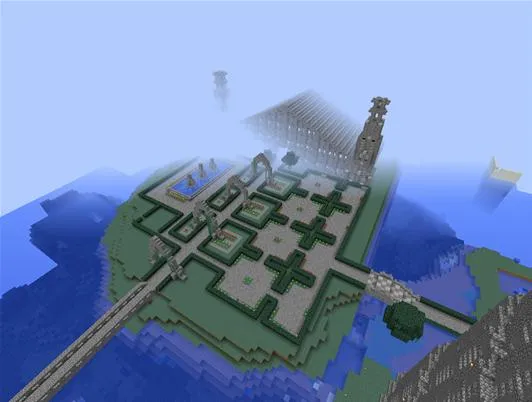
If the main building of spawn was not situated on an island, there would not be as much of an element of protection as if it is the keep of the city.
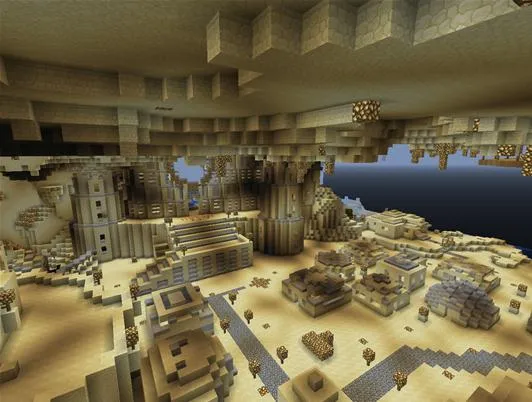
Even if this sandstone city was not underground, it would still look quite impressive. However, placing it underground improves the overall effect of the build by a lot.
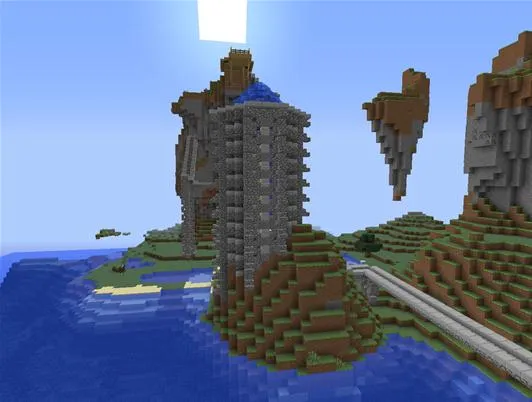
If the main building of spawn was not situated on an island, there would not be as much of an element of protection as if it is the keep of the city.
Even if this sandstone city was not underground, it would still look quite impressive. However, placing it underground improves the overall effect of the build by a lot.
Whether you terraform the land to fit your needs or you hunt out the right landscape, placing your build in the right environment will greatly enhance the overall effect of the end product.



Comments
Be the first, drop a comment!